
Multi-Edit
SDK starter - collaborative text editing example
Requires MouseMux running on Windows. Get it free.
Multi-Edit
Collaborative multi-user text editor where each user has their own cursor and keyboard.
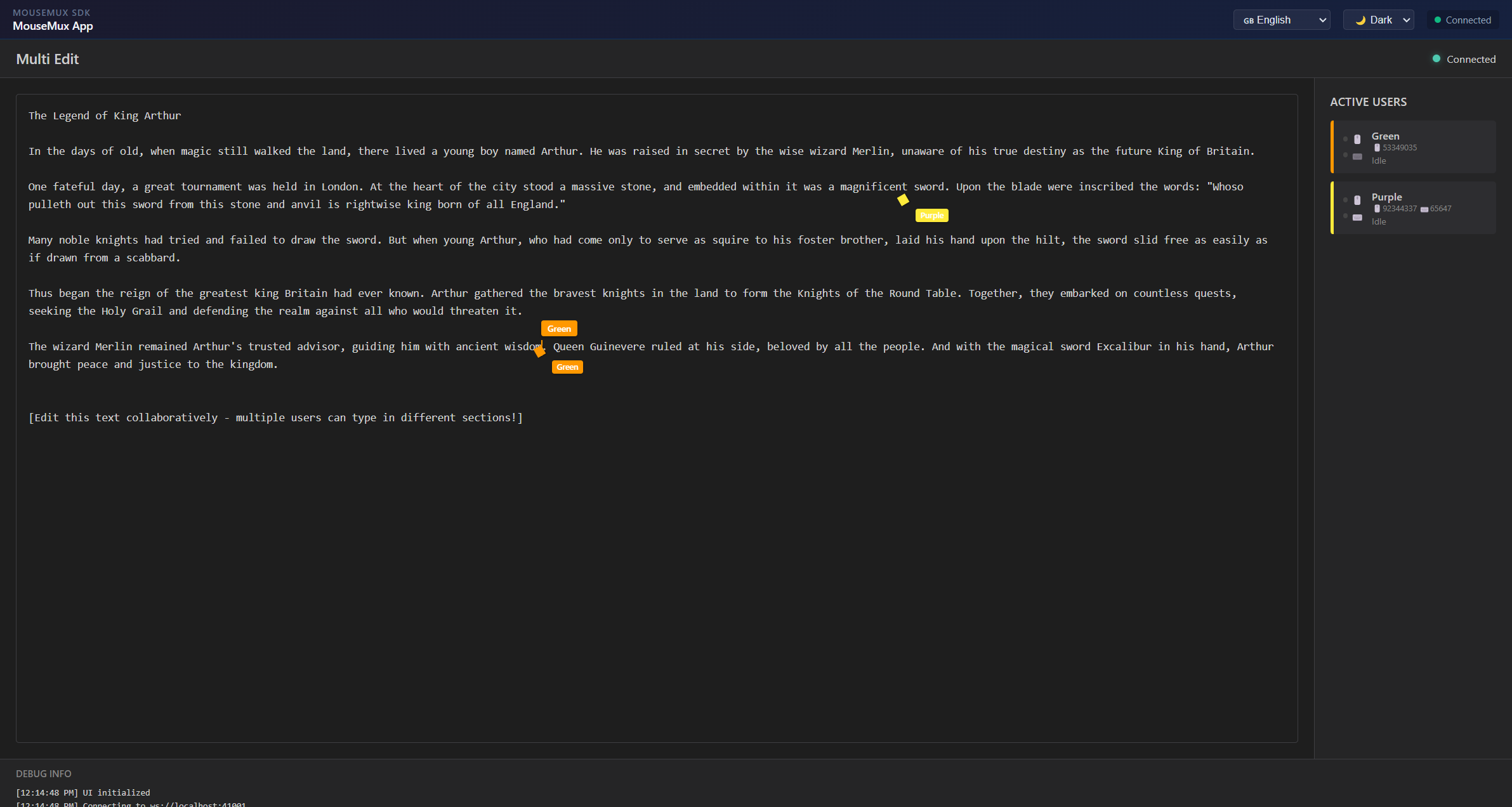
Multi-Edit is a collaborative text editor that lets multiple users type in the same document at the same time on the same computer. When you launch the app and connect to MouseMux, every keyboard and mouse pair that is plugged in becomes an independent user. Each user gets their own blinking cursor placed at their position in the text, shown in a unique color so you can always see who is where and who is typing what.
Users click anywhere in the document to place their cursor at that position. From there they can type freely, and the text they enter appears in their assigned color. The editor supports all standard editing operations independently per user: typing and deleting characters, selecting text with Shift and the arrow keys, navigating with Home and End, and working with a per-user clipboard using Ctrl+X to cut, Ctrl+C to copy, and Ctrl+V to paste. Each user’s clipboard is tracked separately, so cutting and pasting does not interfere between users. Ctrl+A selects all text, and Ctrl+Z and Ctrl+Y provide undo and redo.
A sidebar on the right side of the screen shows all currently active users with their name, color, and device information. Status indicators show whether each user’s mouse and keyboard are currently active. Name tags float above each cursor in the editor so you can see at a glance who is editing where. The tags appear when a user is actively typing and fade after a few seconds of inactivity.
The editor comes preloaded with a sample text that users can edit together, making it immediately usable for trying out multi-user editing without any setup beyond connecting. It is useful for demonstrating how MouseMux handles multiple simultaneous keyboard inputs on a single machine, and as a practical tool for shared workstations where multiple people need to take notes or draft text together.
MouseMux Development Team · https://www.mousemux.com