
Screen Matrix
Multi-screen matrix viewer with remote control
Requires MouseMux running on Windows. Get it free.
Screen Matrix
Multi-screen matrix viewer with remote mouse and keyboard control.
What This Is
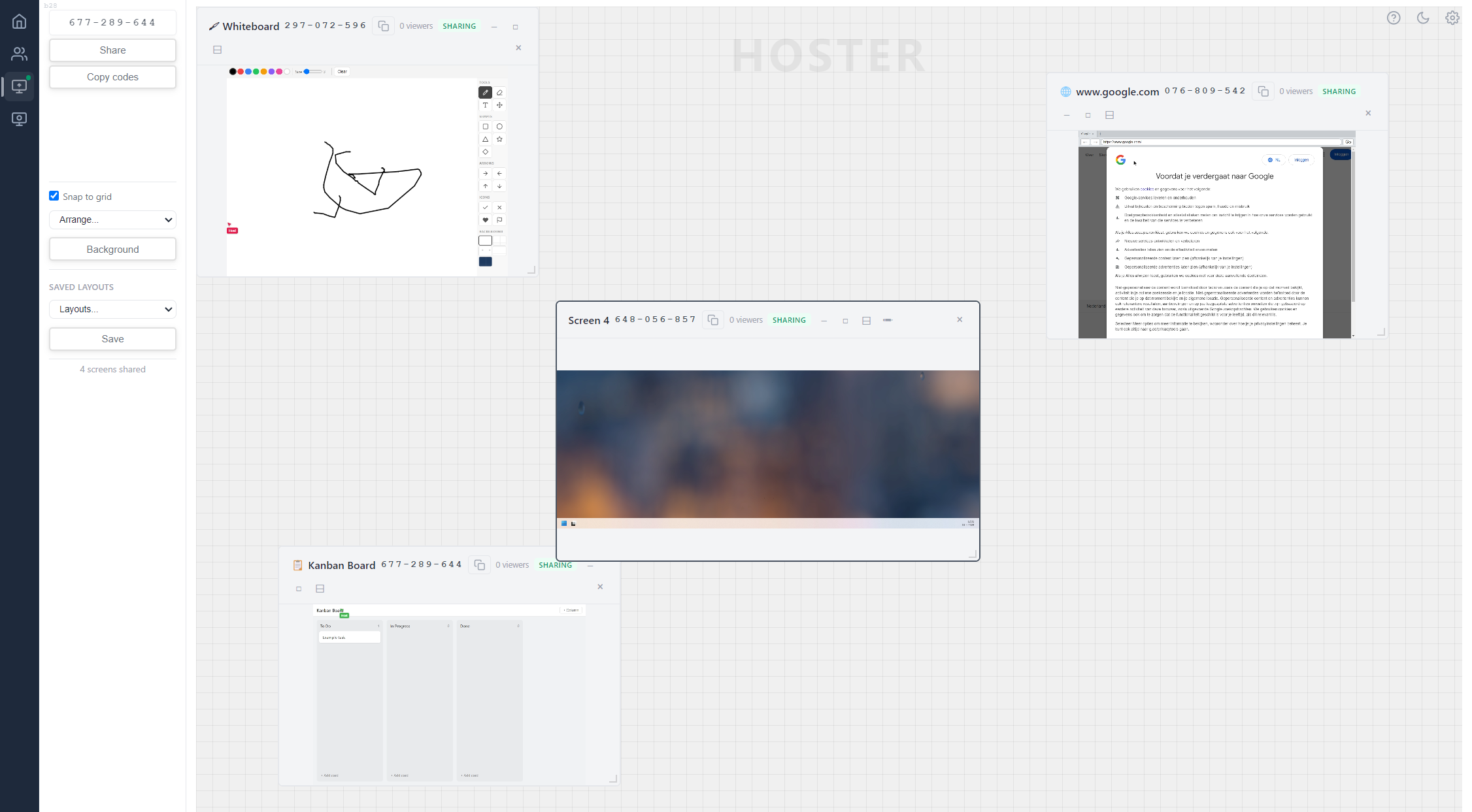
A screen sharing and remote control app where multiple machines can share their screens, windows, or virtual apps into a single matrix grid. Viewers connect using session codes and see live video feeds as draggable, resizable tiles. Hover over or click any tile to route your mouse and keyboard input to that machine through MouseMux virtual users: each viewer gets their own independent cursor on the host desktop. It’s built on LiveKit WebRTC for low-latency video and uses the MouseMux Web SDK for multi-user input routing.
How It Works
When you launch Screen Matrix, you choose to be a Host or a Viewer. Hosts can share entire screens, individual application windows, or virtual apps: each shared source gets its own session code that viewers use to connect. Viewers enter session codes to add sources to their matrix grid, where tiles can be dragged, resized, snapped to a grid, and arranged automatically. Clicking or hovering over a tile sends your mouse and keyboard input to the host machine, with automatic coordinate mapping that handles multi-monitor setups and window-level sharing. The app supports multiple simultaneous connections, so a viewer can watch and control several host machines at once, and multiple viewers can interact with the same host independently.
The settings panel shows connection quality stats including latency, packet loss, bitrate, resolution, and FPS. There’s a coordinate conversion debug panel for troubleshooting input mapping, an activity log, and controls for input mode switching. Layouts can be saved and loaded so you don’t have to rearrange tiles every time. Dark and light themes are available.
Getting Started
Launch the app from the MouseMux launcher. Pick Host to share your screen, or Viewer to watch and control remote screens. As a host, click “Share screen”, “Share app”, or “Share virtual app” to start sharing: you’ll get a session code to give to viewers. As a viewer, paste the session code into the input field and click “Add source” to connect. You can add multiple sources to build up your matrix. Arrange tiles by dragging them, use snap-to-grid for alignment, or use the auto-arrange options. Hover over a tile to start controlling that machine. Connect to MouseMux when prompted for multi-user cursor support.
MouseMux Development Team · https://www.mousemux.com